
In this article, we’ll walk through SMB enumeration using Nmap, a core skill in the enumeration phase of penetration testing. You’ll learn how NetBIOS and SMB services work, how to scan and analyze them, and how to set up a hands-on lab to practice.
Understanding NetBIOS and SMB
NetBIOS (Network Basic Input/Output System)
NetBIOS (Network Basic Input/Output System) is a network protocol used primarily in Windows systems to allow applications on separate computers to communicate over a local area network (LAN). It plays a key role in file and printer sharing, service discovery, and remote resource access in older and legacy systems.
NetBIOS provides three core services:
- Name Service – over UDP port 137: Used for name registration and resolution (mapping names to IP addresses).
- Datagram Service – over UDP port 138: Used for connectionless communication, such as sending broadcast messages.
- Session Service – over TCP port 139: Used for connection-oriented communication between two devices.
SMB (Server Message Block)
SMB (Server Message Block) is a network file sharing protocol used primarily in Windows environments to allow systems to share files, printers, and other resources over a network. It enables users and applications to read, write, and manage files on remote servers as if they were local.
SMB operates over the following ports:
- TCP port 445 – Direct SMB communication without the need for NetBIOS.
- TCP port 139 – Used for SMB over NetBIOS in older systems.
Modern versions of SMB support authentication, encryption, and session multiplexing, making it a core component in enterprise networks — but also a common target in penetration testing due to misconfigurations and vulnerabilities.Lab Objective
Lab Objective
We aim to:
- Configure a Windows victim machine running SMB and NetBIOS services.
- Use a Kali Linux attacker machine to perform enumeration and gather detailed network/system information.
- Understand what kinds of data (usernames, shares, OS details, etc.) can be extracted through these services.
Lab Setup Requirements
- A virtualization platform: VirtualBox or VMware
- Two virtual machines:
- Kali Linux (Attacker)
- Windows (Victim)
Step 1: Configure the Victim Machine (Windows)
1. Enable SMB and NetBIOS
Go to:
Control Panel → Programs → Turn Windows features on or off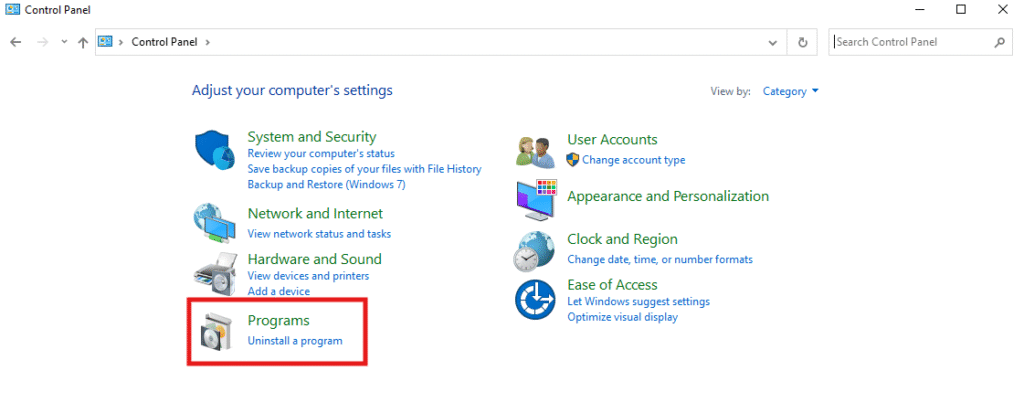
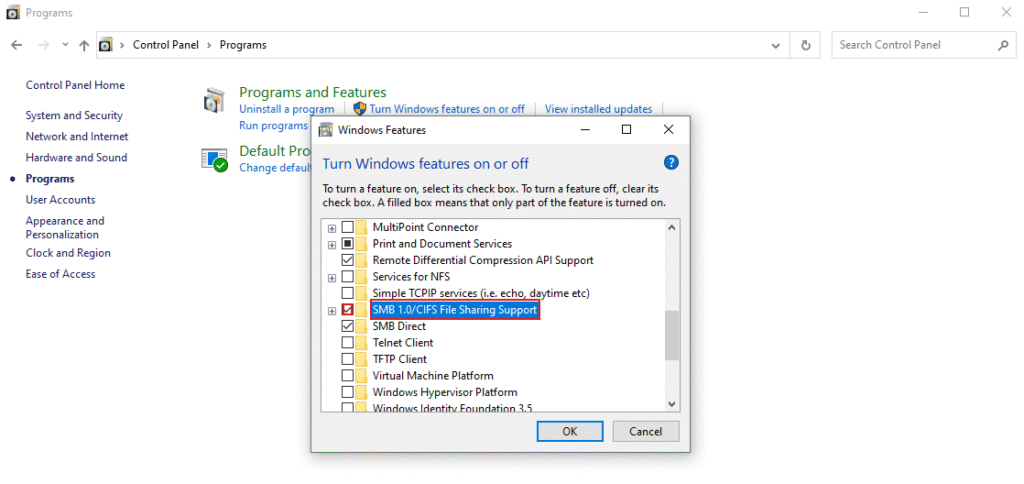
Ensure the following are enabled:
- SMB 1.0/CIFS File Sharing Support
- File and Printer Sharing
Go to:
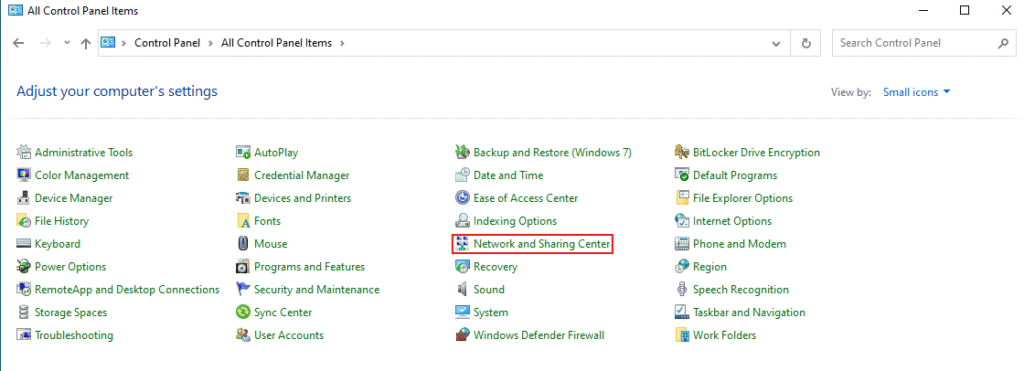
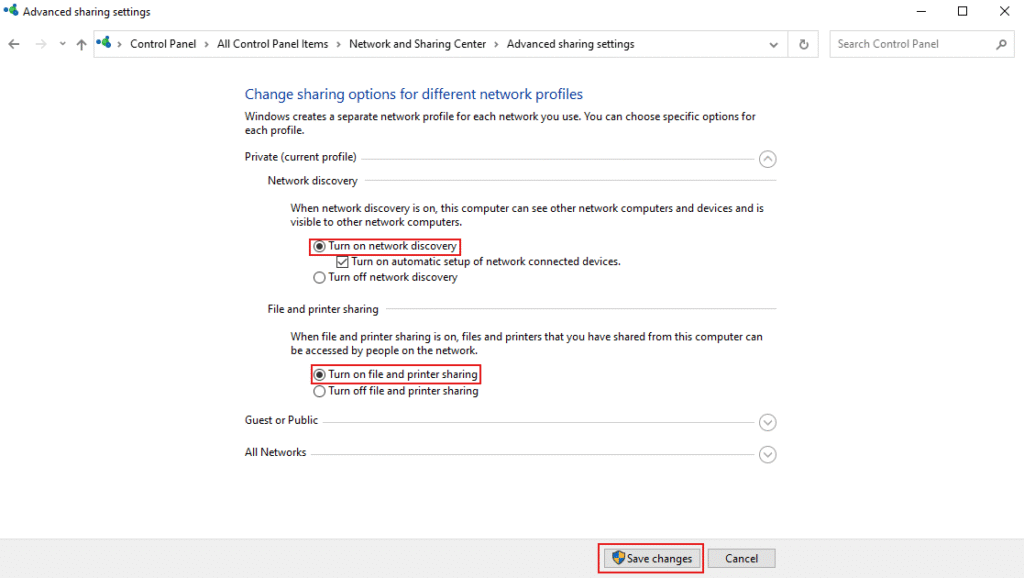
Control Panel → Network and Sharing Center → Change advanced sharing settingsMake sure to enable both Network Discovery and File and Printer Sharing on the Windows machine to allow SMB services to function properly and be accessible from other devices on the network.
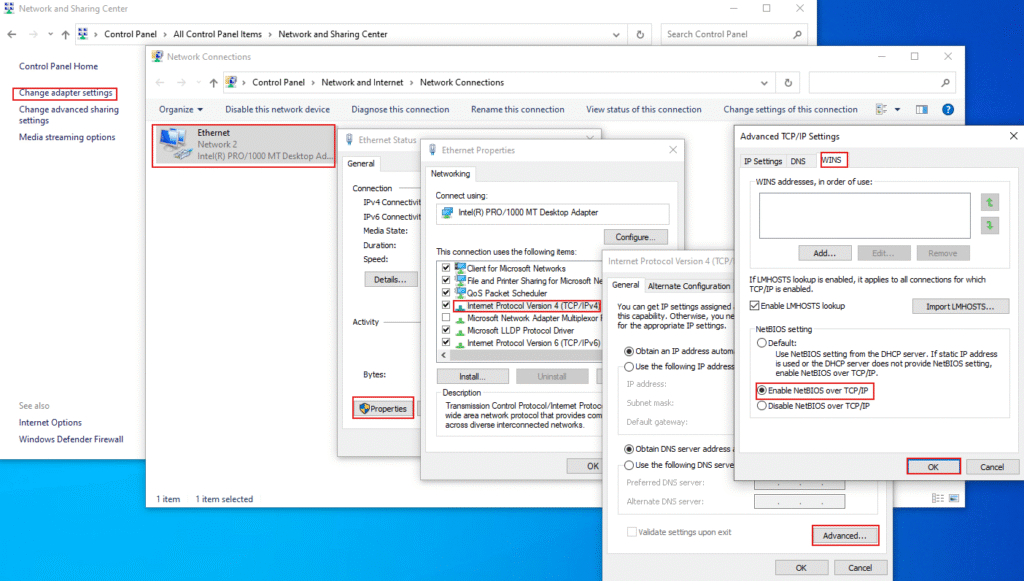
Enable NetBIOS:
Control Panel → Network and Sharing Center → Change Adapter Settings → [Active Adapter] → Properties → IPv4 → Advanced → WINS → Enable NetBIOS over TCP/IP
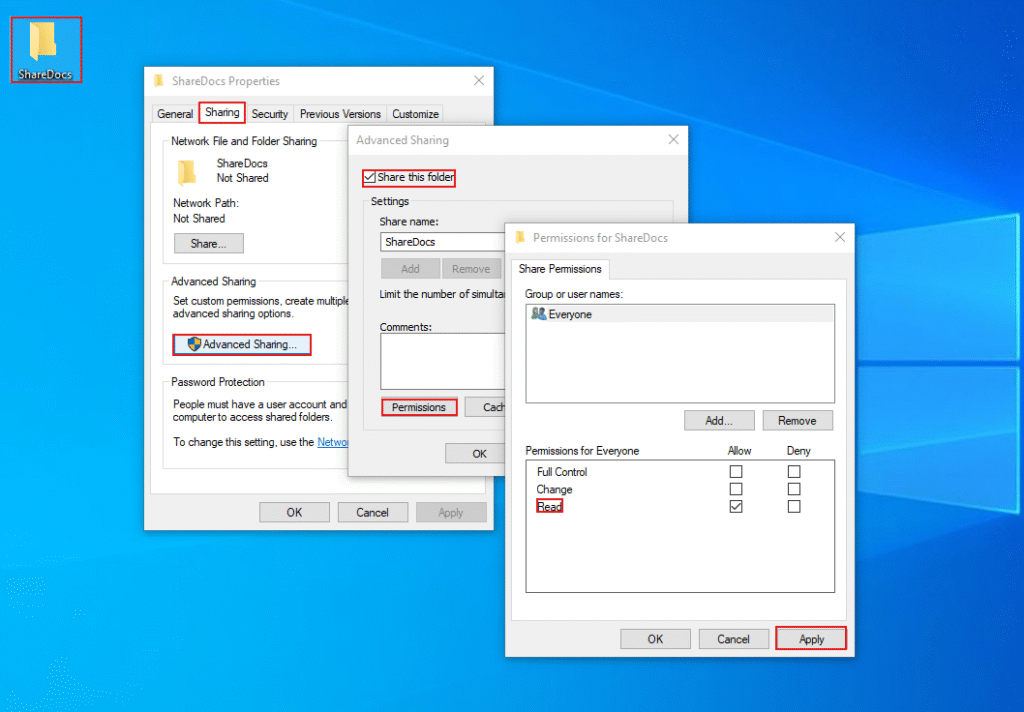
2. Ceate a Shared Folder
- Right-click →
Properties→Sharingtab →Advanced Sharing - Check “Share this folder” → Set Permissions:
- Add
Everyonewith Read - Add test users with different levels of access (optional)
- Add
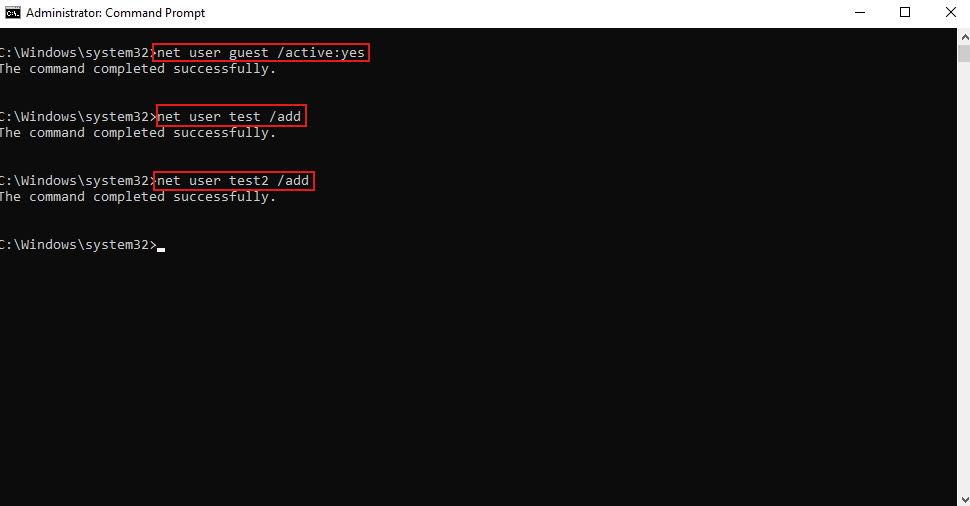
3. Create Low-Privilege Users
Open Command Prompt as Administrator:
net user guest /active:yes
net user test password123 /add
net user test2 /add
You can create accounts with:
- No password (for null session testing)
- Weak passwords (for brute-force simulation)
Step 2: Configure the Attacker Machine (Kali)
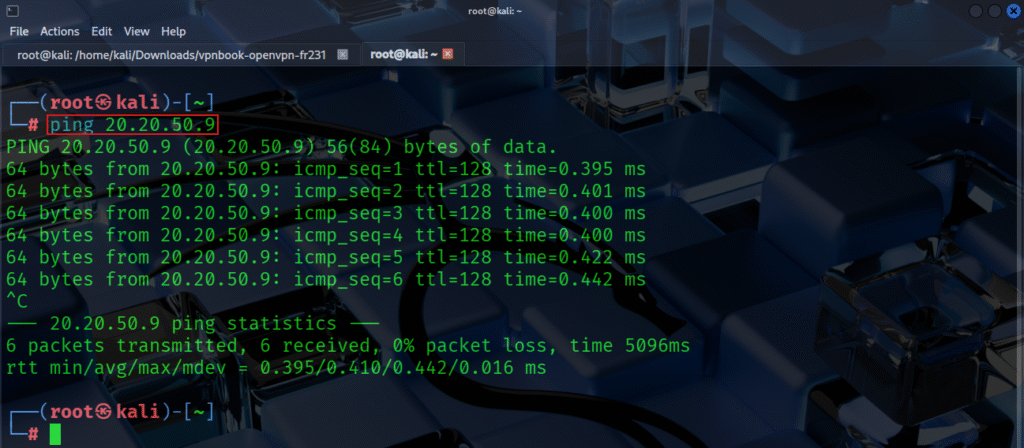
1. Verify Connectivity
Find Windows machine IP:
ipconfig
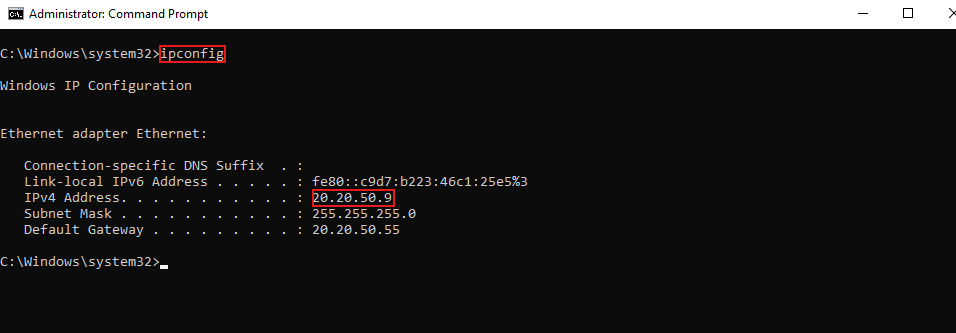
Then on Kali:
ping 20.20.50.9
2. Perform Basic Port Scan
Check if SMB/NetBIOS ports are open:
nmap -p 139,445 -sV 20.20.50.9
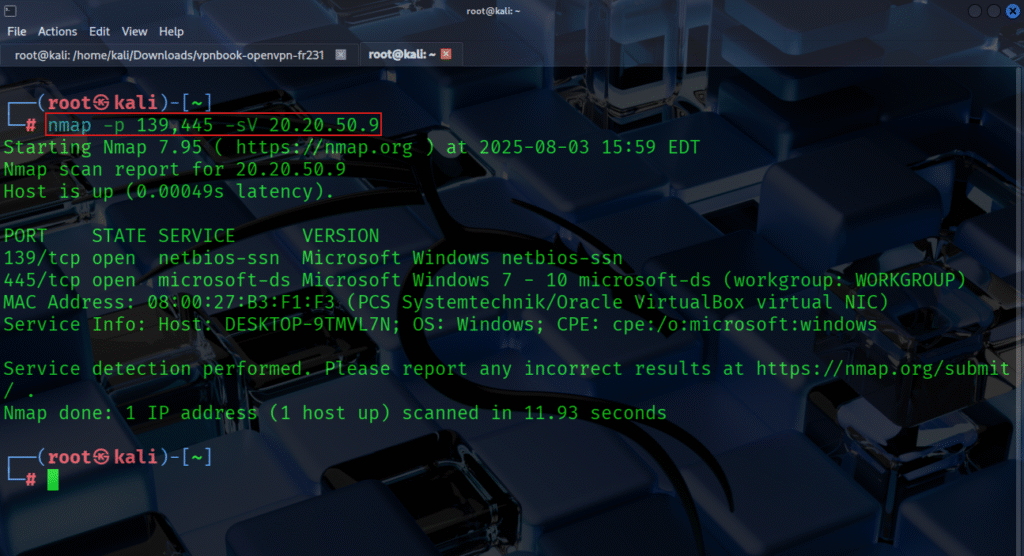
You should see services like Microsoft Windows SMB and NetBIOS-SSN.
Step 3: SMB & NetBIOS Enumeration with Nmap
Here’s how to gather intelligence using Nmap NSE script
- Detect SMB protocol versions supported smb-protocols
nmap -p 445 --script smb-protocols 20.20.50.9- List available network shares
smb-enum-shares
nmap -p 445 --script smb-enum-shares 20.20.50.9- Enumerate user accounts
smb-enum-users
nmap -p 445 --script smb-enum-users 20.20.50.9- Discover OS information via SMB
smb-os-discovery
nmap -p 445 --script smb-os-discovery 20.20.50.9- Check SMB security configuration
smb-security-mode
nmap -p 445 --script smb-security-mode 20.20.50.9- NetBIOS name resolution info nbstat
nmap -p 137 --script nbstat 20.20.50.9